Token usage#
The Token usage pane lets administrators view AI model token consumption across SEP. Token usage is recorded for every AI model call SEP makes across all AI features including AIDA and data product enrichment.
To view token usage, you must have the sysadmin role and navigate to Admin >
Token usage.
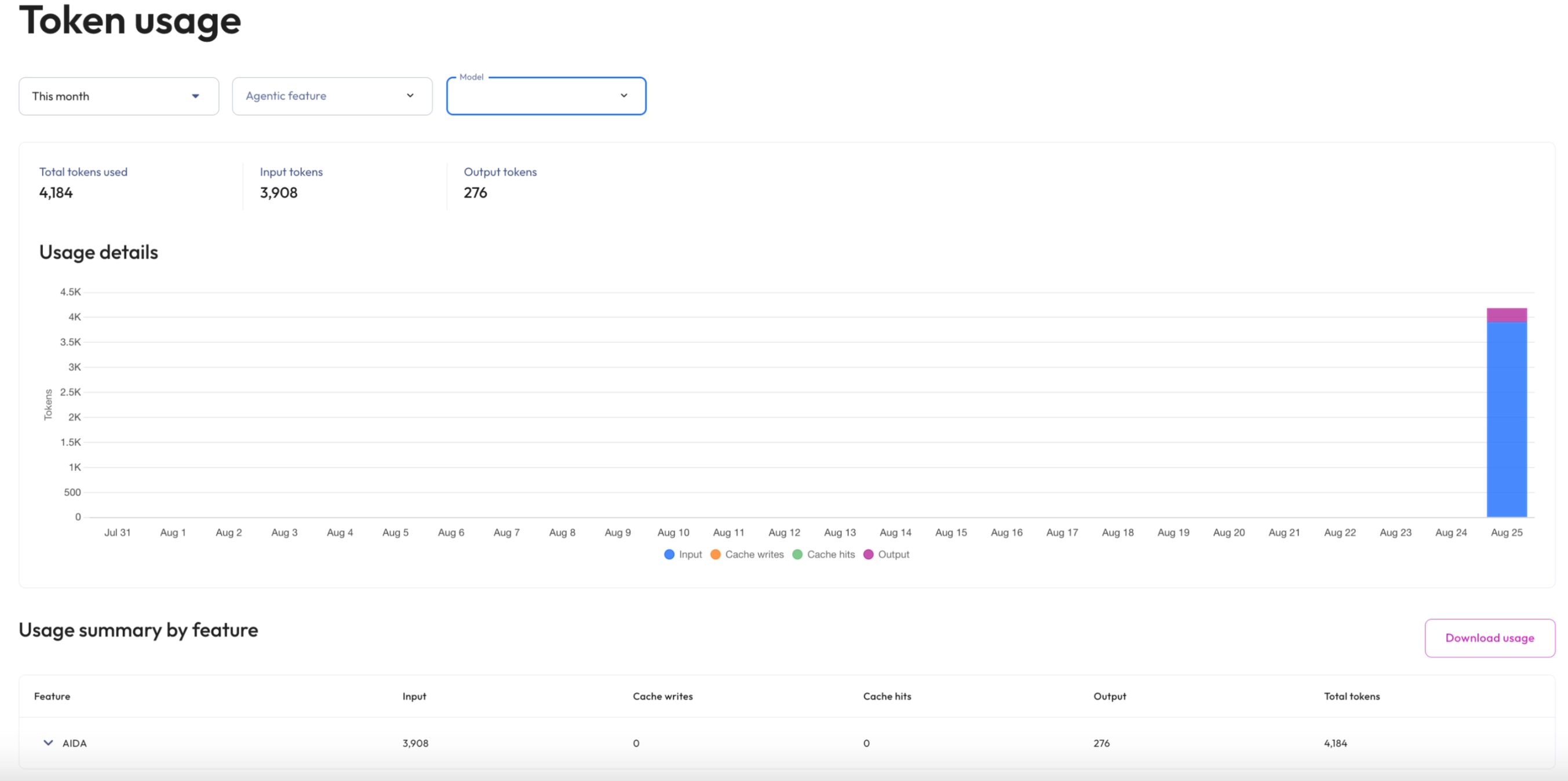
Token usage is summarized above usage details with the following details:
Total tokens used: The sum of input, output, cache writes, and cache hit tokens.
Input tokens: Tokens sent to the AI model in prompts.
Output tokens: Tokens generated by the AI model in responses.
Filters#
Use the date range, agentic feature, and model menus to filter results across the usage summary and usage details tables.
Dates: Selects the date range to display. Defaults to This month. Select a preset This month, Today, Last 7 days, Last 30 days, or select Custom range to specify your own start and end dates.
Agentic feature: Limits results to a specific AI feature. All AI features shows all AI features.
Model: Limits results to a specific AI model. All models shows all AI models.
The date range filter is always applied and cannot be removed. Click Apply filters to update the results, or Reset filters to return to the default view.
Usage details#
The Usage details chart displays token consumption for the selected date range, stacked by token type.
Input: Tokens sent to the AI model in prompts.
Cache writes: Tokens written to the AI model’s prompt cache.
Cache hits: Tokens read from the AI model’s prompt cache rather than reprocessed.
Output: Tokens generated by the AI model in responses.
Usage summary by feature#
The Usage summary by feature table displays token totals grouped by AI feature, with columns for Input, Cache writes, Cache hits, Output, and Total tokens. Click a feature row to expand it and view consumption broken down by user. Background AI work with no user context appears as Unattributed.
To download the usage summary, click Download usage. The export contains one row per feature and user with totals for each token type.
Token usage records are independent of chat session records. Deleting a chat session does not remove its token usage data.